
Meta reviews for leading reviewers
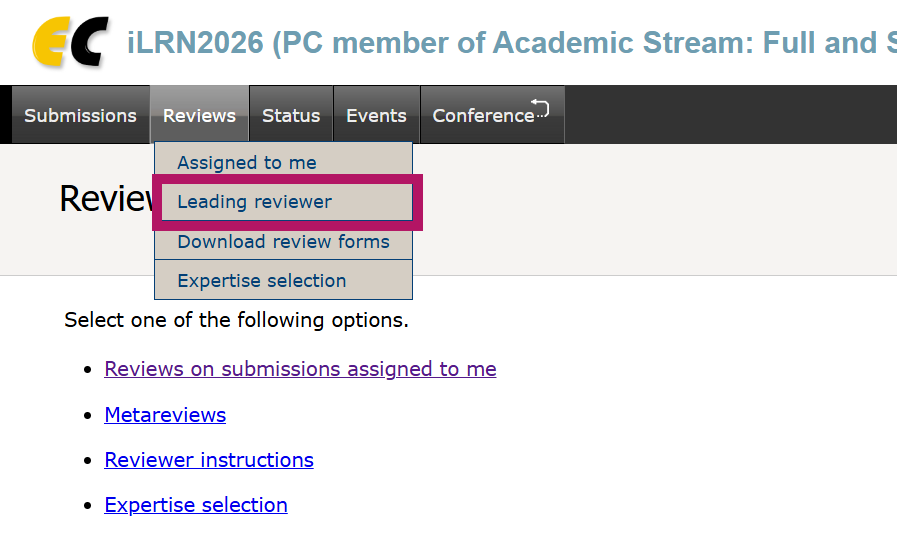
If you want to see which papers you have been assigned to as leading reviewer, please check under "leading reviewers" in the "Reviews" menu:
Adding meta reviews
In order to add meta reviews in the system as a leading reviewer, you need to get to the review overview pages of the individual papers. To access these, you can go through the "Submission" menu, the "Reviews" menu, or the "Status" menu.
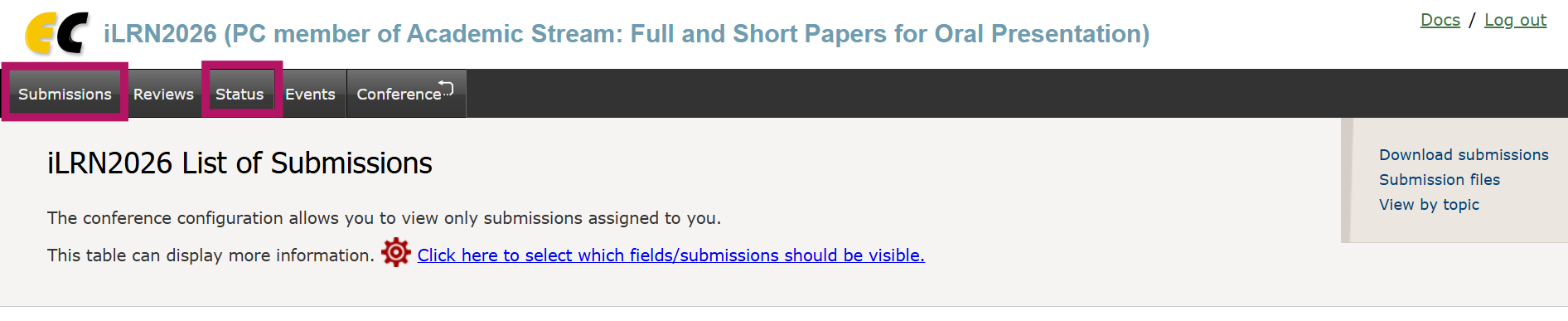
Through submissions menu
In the table with the List of Submissions, click on the symbol in the "Reviews" column:
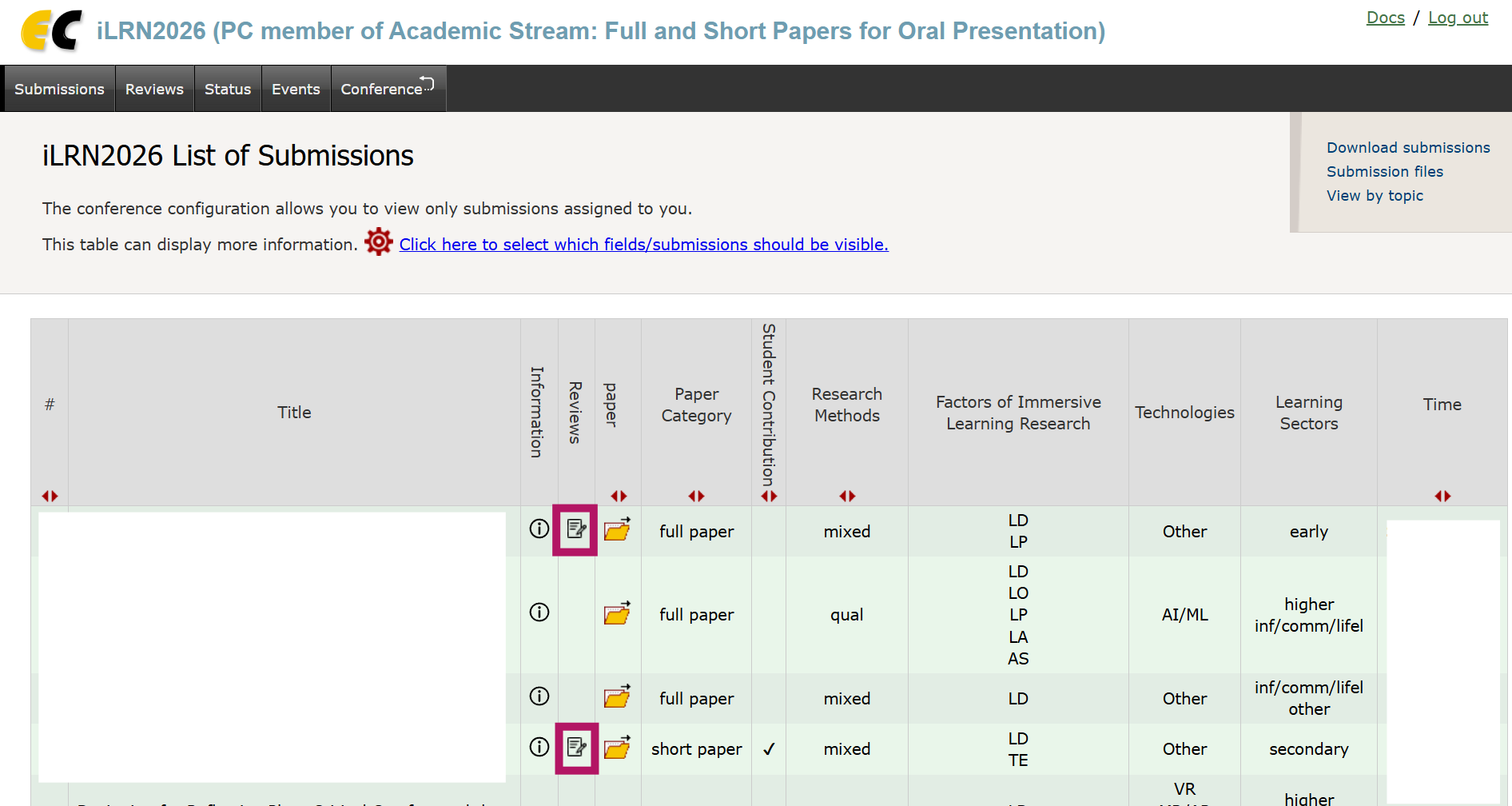
You can only access this button for papers for which you have submitted an ordinary review for that paper yourself. When you click on the symbol, you will get to the review overview page for that paper. From there, continue as described below.
Through "Assigned to me" or "Leading reviewer" menu items, you will also get to tables similar to the ones in the Submission List menu. Again, the symbol in the "Reviews" column can be clicked to get to the review overview page for that paper. From there, continue as described below.
You can see the overview of papers for which you can access other reviews in this menu. When you click on a paper title, you will get to the review overview page for that paper. From there, continue as described below.
On the individual review overview page
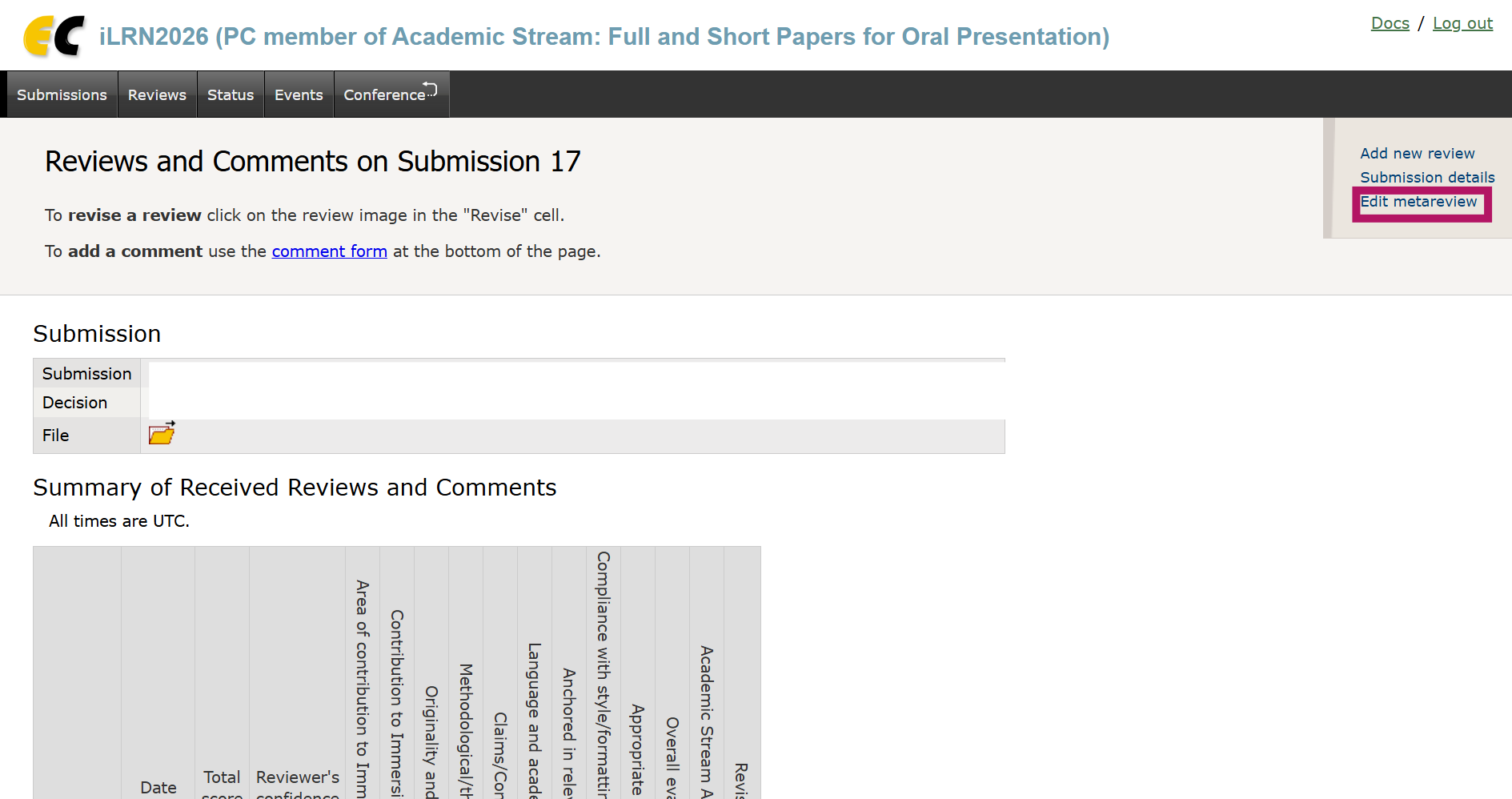
When you are on the review overview page of an individual paper, you can then see the reviews that have been created for that paper. You can only access this page if you have created a review for that paper yourself.
To add a meta review, please use the "Edit metareview" link in the top right corner:
No comments to display
No comments to display